
Smart contact management
The contact manager that keeps your contacts unified.
Sync, enrich, deduplicate and back up your contacts automatically, across every account.
At a glance
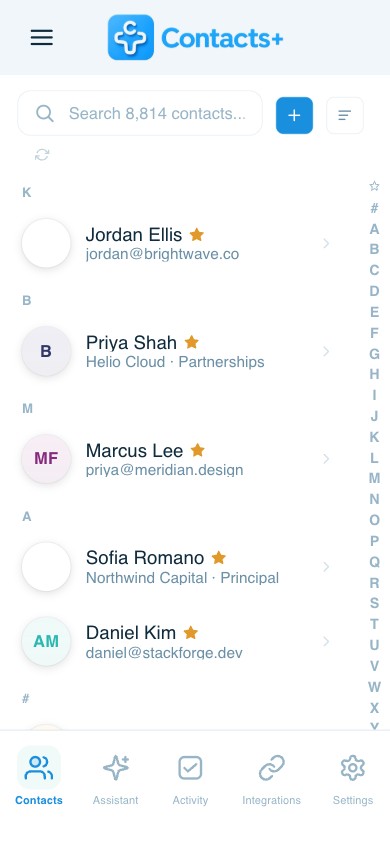
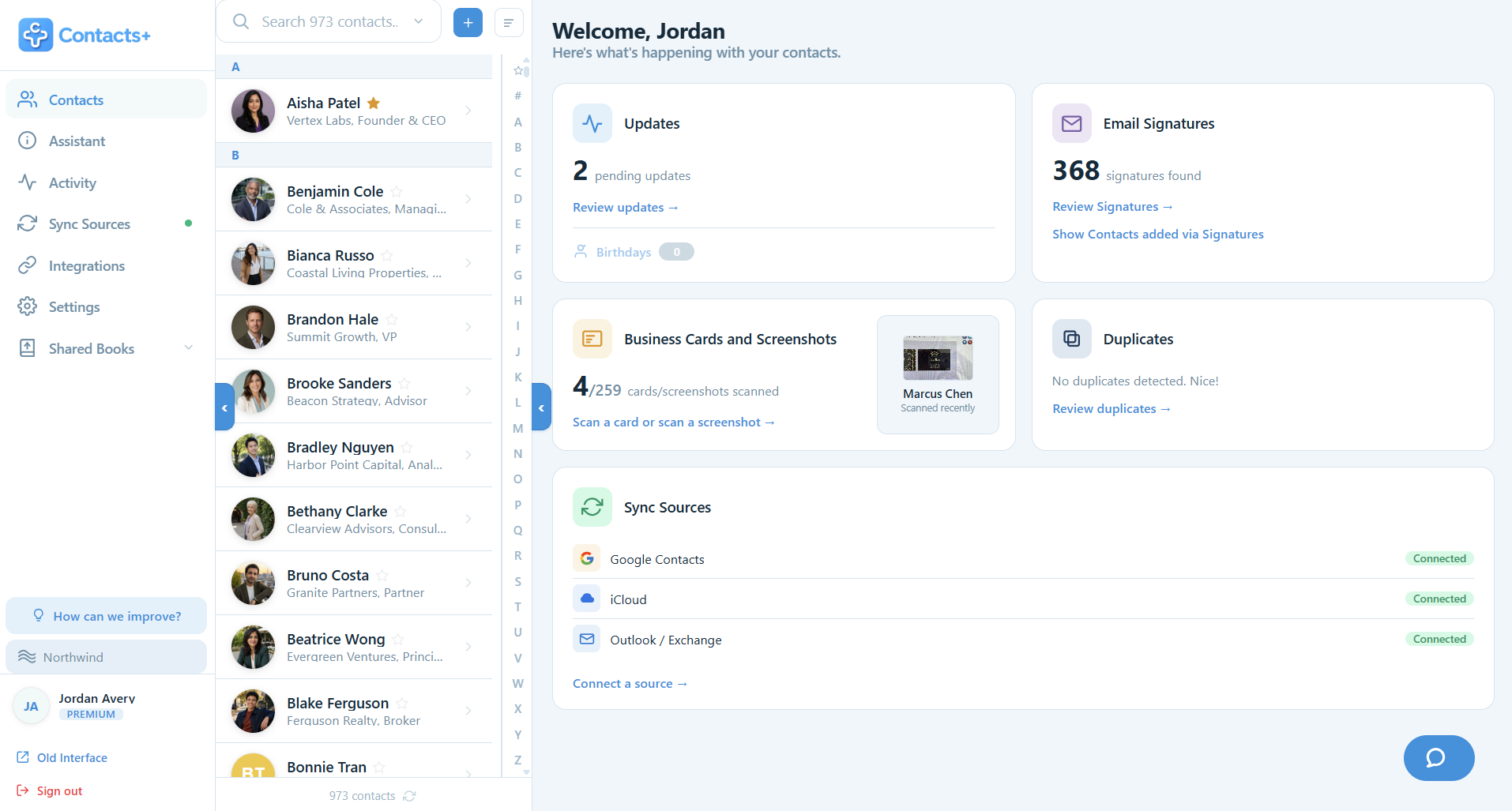
ContactsPlus is an AI-powered contact manager that syncs, deduplicates, enriches and backs up your contacts across Google, iCloud and Outlook, as a web app in any browser and as native iOS and Android apps.
- Keeps one clean, always-current address book across every account
- Automatically removes duplicates and fills in missing details
- Used by hundreds of thousands of users and teams
- Free to start; Premium from $9.99/user per month billed annually
Hundreds of thousands of users rely on ContactsPlus to get more out of their network





Key features
Everything your address book is missing
These are the pieces that turn a list of names into working contact management software, for you or a small business, and once you start tracking who you owe a reply to, into a personal CRM.
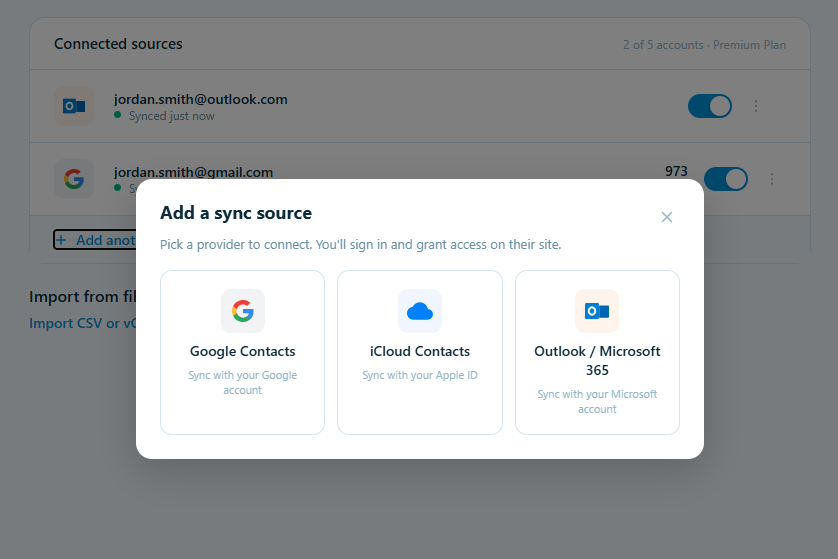
Sync across accounts
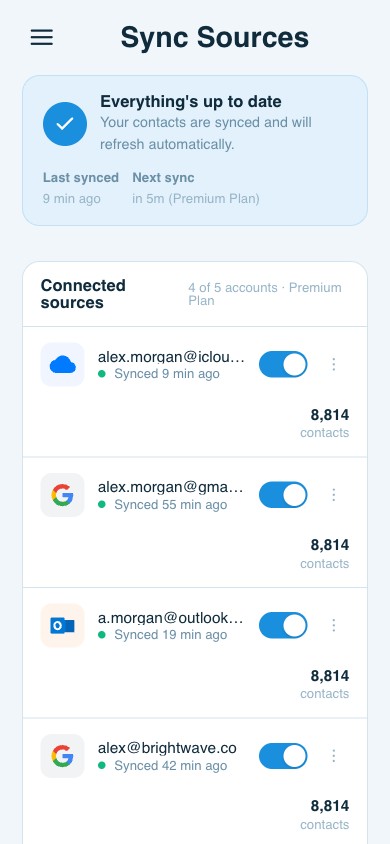
Bring Gmail, Outlook, iCloud contacts and your phone into one address book that stays current everywhere. Premium connects up to 5 accounts. Set it up once and syncing contacts from iPhone to Mac stops being a separate chore from keeping Google and Outlook straight.
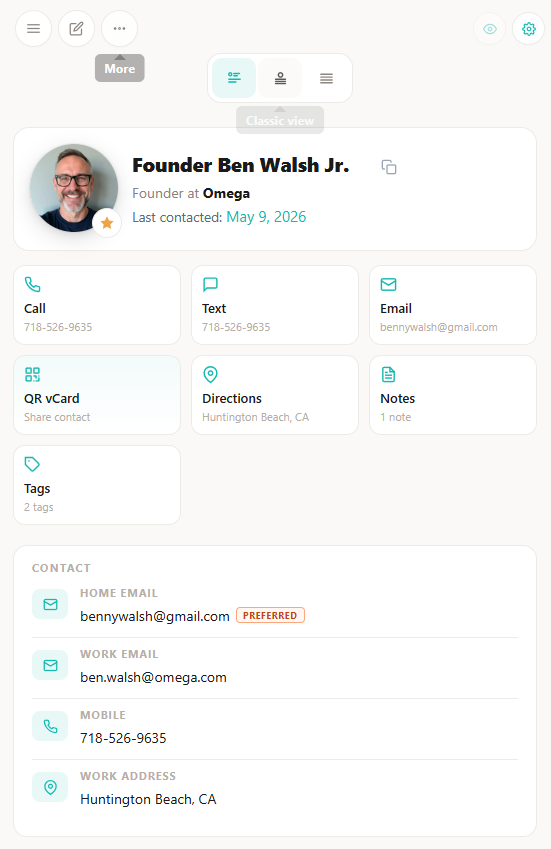
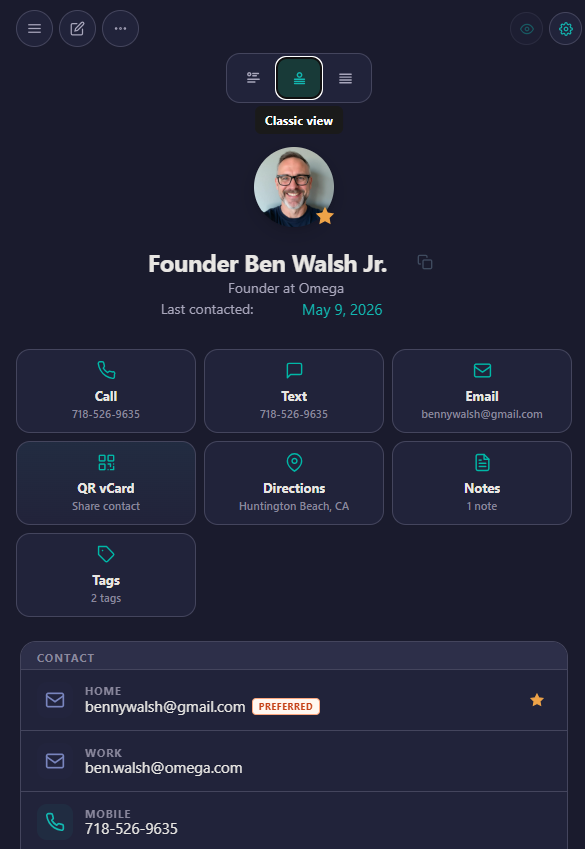
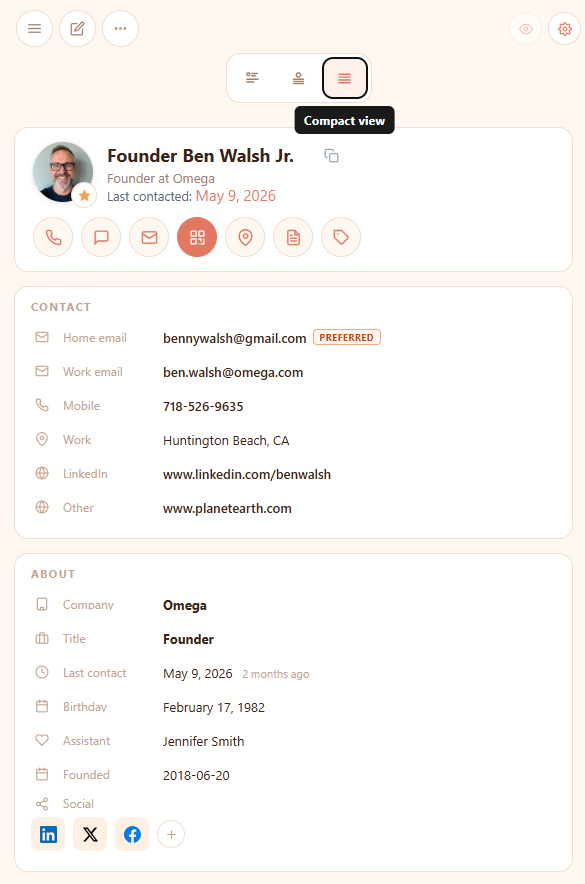
Stay up-to-date, your way
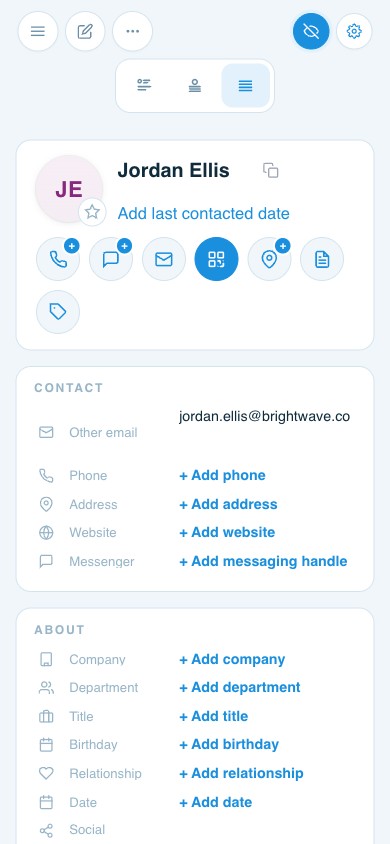
Keep contacts current automatically: photos, job titles, locations, social profiles and more. And view every contact in the layout that works for you: Story, Classic, or Compact.
Eliminate duplicates
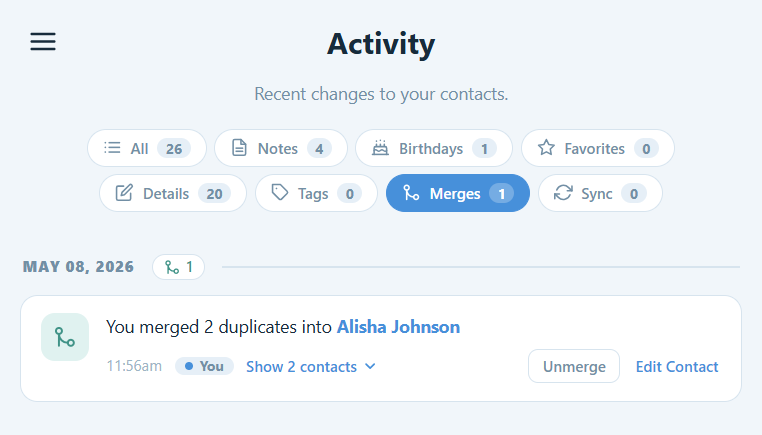
We detect and merge duplicates automatically, so your address book stays clean across every account and device, including the awkward cases, like removing duplicate contacts in iCloud, where Apple gives you no bulk merge of its own.
Scan & save business cards
Snap a business card and AI turns it into a complete, accurate contact in seconds.

Email from your own inbox
Write an email once and every copy still reads as personal, with each contact’s name and company filled in for you. It goes out from your own Gmail or Outlook address, to one person or a whole list, at a pace Google and Microsoft are happy with.

Use your contacts from ChatGPT, Claude, Gemini & Grok
Connect your AI assistant to ContactsPlus and ask it who you know at a company, get a briefing before a meeting, or hand it a business card. Anything it suggests waits for your approval. It can never delete or export your contacts.

Access contacts anywhere
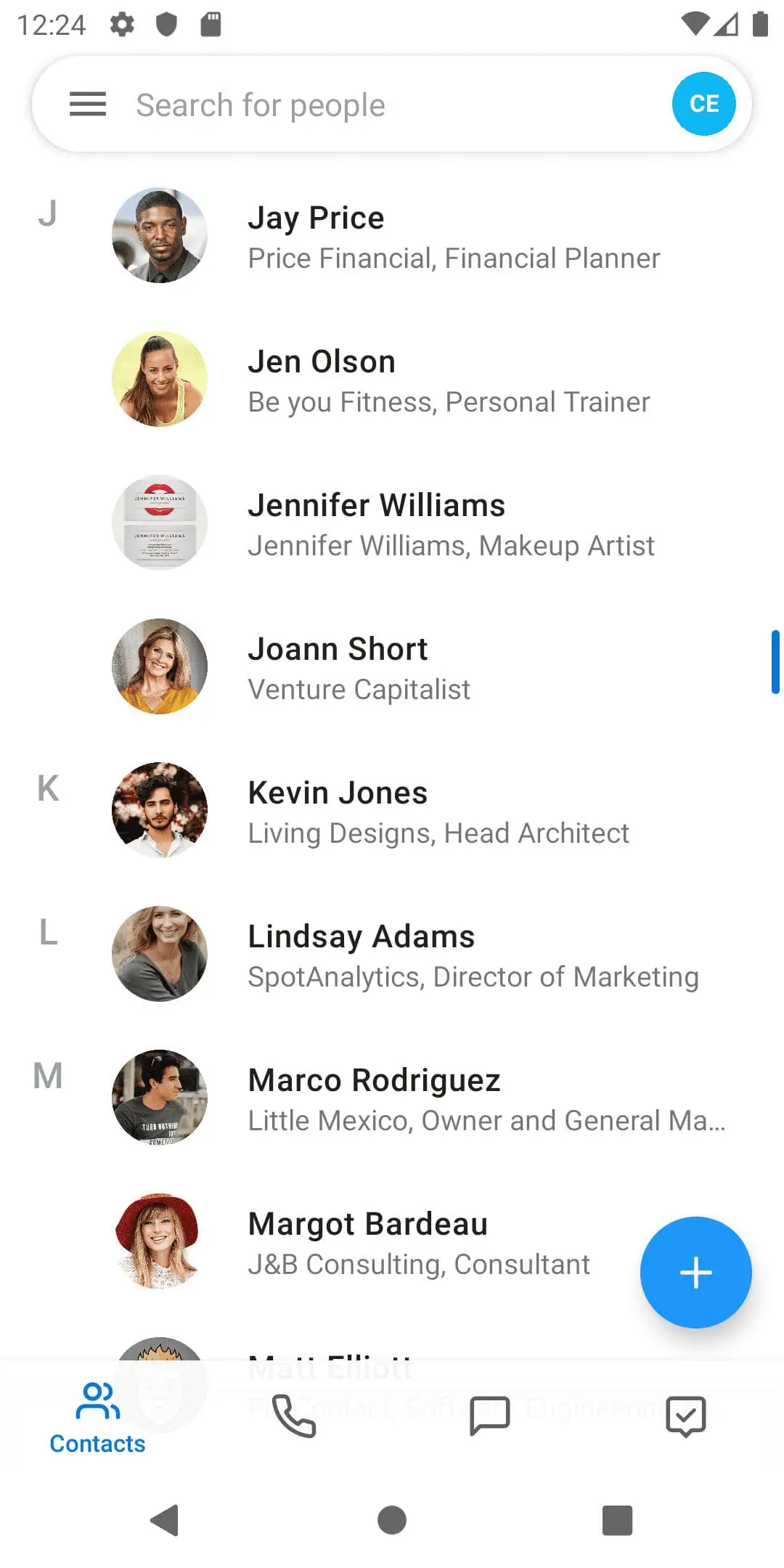
Web, iOS, Android, Chrome & Mac, all kept in sync. Our web app is fully responsive, so it runs well in your phone’s browser too. Prefer a native app? It’s a tap away.
Connect your whole stack
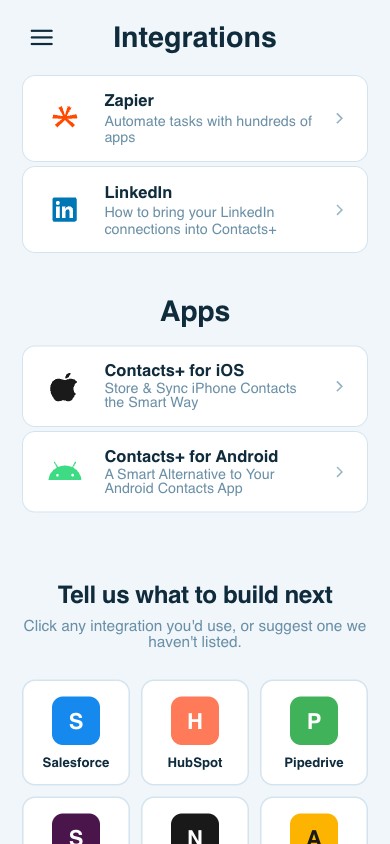
Pipe your contacts wherever work happens. Automate with Zapier and hundreds of apps, pull in your LinkedIn connections, and help shape our roadmap. We’re always adding integrations like Salesforce, HubSpot, Slack, Notion and more.
Never miss a change
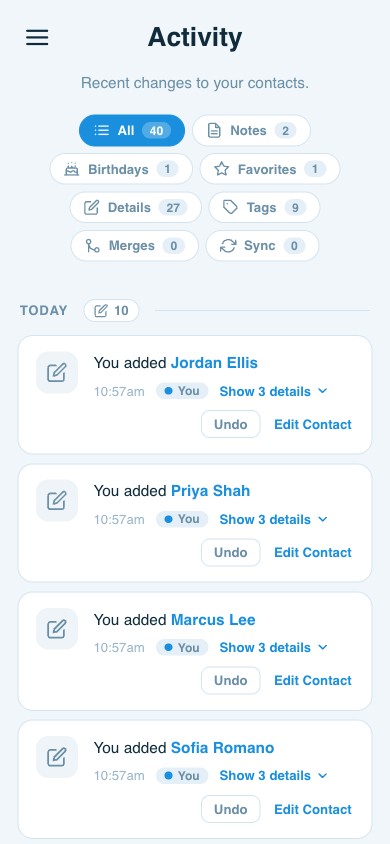
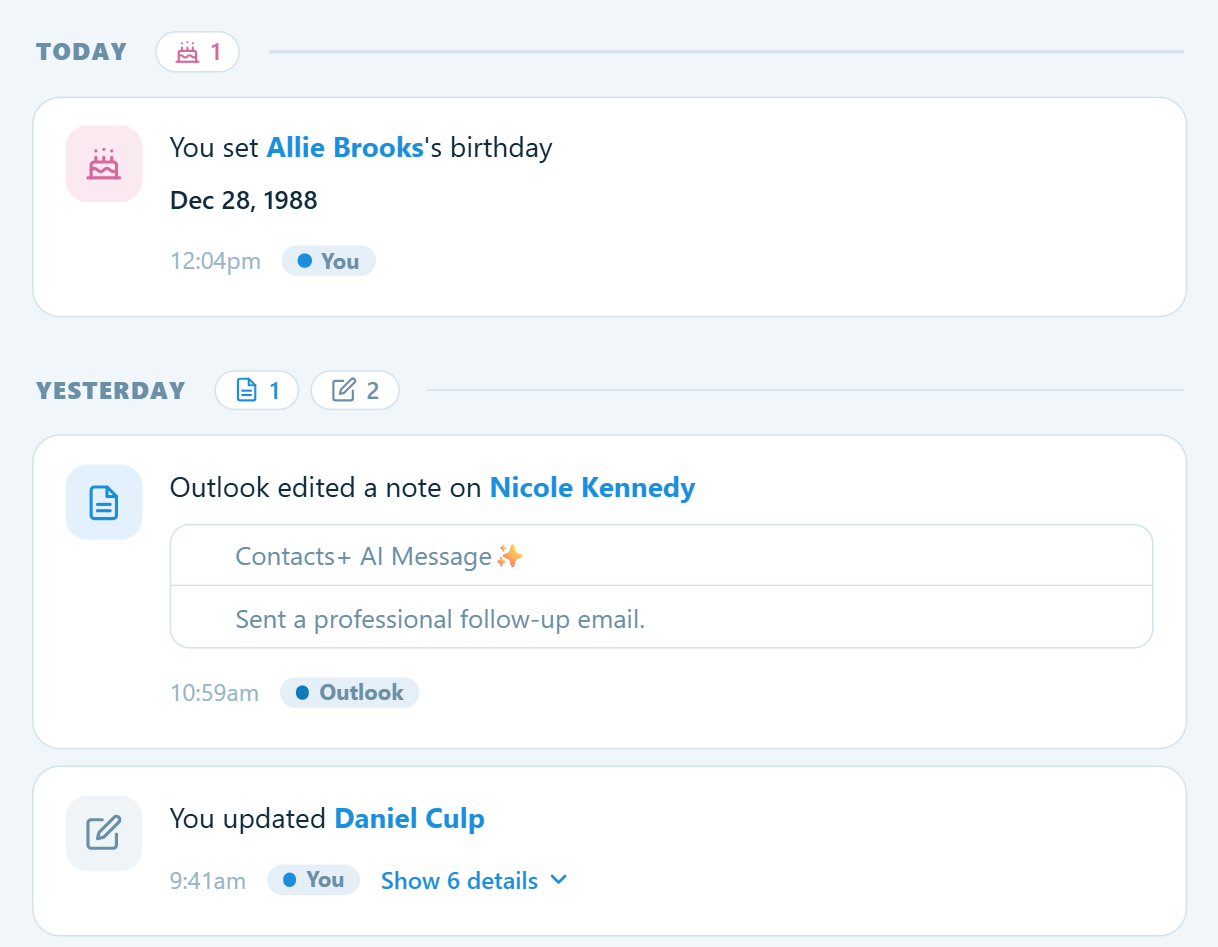
Every edit, merge, new contact and enrichment lands in a filterable Activity feed, so you can see who changed what, and when. Undo anything in a click, and filter by notes, birthdays, tags, merges or sync.
And so much more
Plus many great features
Follow-up reminders
Set follow-up reminders on any contact, with due dates and calendar sync. You’ll never forget to follow up.
Data protection
Keep contacts safe and intact across all connected accounts in the case of deletion or corruption.
Secure storage & backup
Back up and restore your contacts, so they stay organized, in sync and safe.
Notes & tags
Use notes and tags to group your contacts, then search and filter by them.
Sync up to 5 accounts
Connect up to five Google, iCloud, and Outlook/365 accounts and keep every source in sync. It’s only on Premium.
Granular search
Set advanced search options to narrow and quickly find results.
Birthday reminders
We send you weekly reminders, including upcoming birthdays.
Email signature extraction
We turn email signatures into new or updated contacts.
Integrations
Customizable integrations with two-way sync, like Zapier and LinkedIn.
For Teams
Share contacts across shared address books, along with their notes and tags, so your whole team works from one source of truth. Explore Teams →
Questions
Frequently asked questions
How does contact sync work?
Free plan: ContactsPlus pulls changes once per day from accounts like Google, iCloud, and Exchange/Office 365.
Premium & Team plans: Quick Sync runs about every 15 minutes, pulling changes in and pushing changes made in ContactsPlus back to connected accounts. On Free, changes push back once per day.
How do contact updates work?
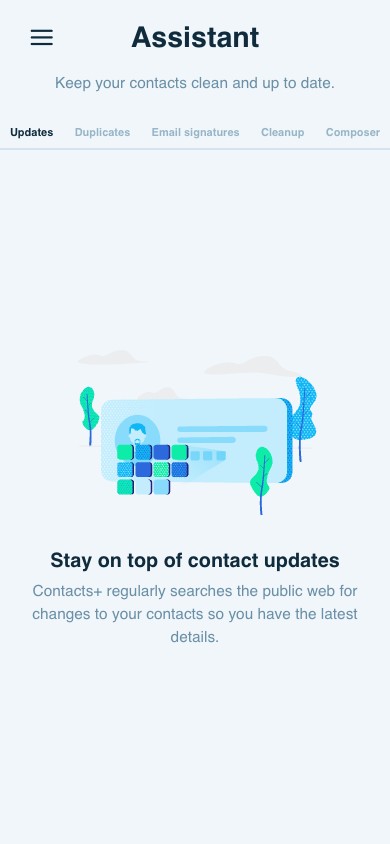
ContactsPlus searches for publicly available information to add to your contacts: photos, job titles, locations, social media profiles and more. Free accounts receive updates each month; Premium accounts receive updates each day.
How does business card transcription work?
ContactsPlus uses AI to transcribe business cards in seconds, adding accurate contact information to your address book.
Real reviews
What customers are saying
“Absolutely the best contact app. I’m now in charge of my contacts — no more double entries, second to none.”
Google Play Review
“The best contact manager. It seamlessly merges contacts from multiple sources and gives a clean, easy way to reach the right person the right way. Brilliant.”
Google Play Review
“Want to solve your phonebook mess across multiple accounts and devices? Look no further.”
Google Play Review
Your network, finally organized
Join hundreds of thousands of users who trust ContactsPlus with their network.
Sign up freeHow sync works
One address book, always in sync
Your contacts live in a dozen places: your phone, Gmail, iCloud, Outlook, and the spreadsheets sitting in your downloads folder. ContactsPlus pulls them all together and keeps every copy in step, automatically.
- Connect your accountsLink each account (Google, iCloud or Outlook/Office 365) in a couple of clicks. Premium lets you connect up to 5 accounts.
- Import your spreadsheets, tooUpload a CSV, Excel or vCard file and every row becomes a real contact in the same address book, so the list from that conference or your old CRM finally gets organized alongside everything else.
- We unify everythingContacts from every account and every import merge into one clean, de-duplicated address book, so there’s a single source of truth.
- Two-way, automatic syncEdit a contact once and the change flows back to every connected account, about every 15 minutes with Quick Sync on Premium & Teams (daily on Free).
Why power-networkers love it
- Turn messy spreadsheets into clean, synced contacts without any copy-paste
- No more re-typing the same person into three different places
- Phone numbers, emails and job titles stay current everywhere at once
- One clean, unified view across every device and account you own
- Your contacts are backed up and recoverable, so nothing gets lost
Contact updates & enrichment
Your contacts keep themselves up to date
People change jobs, phone numbers and email addresses all the time. A stale address book costs you opportunities. ContactsPlus keeps your contacts accurate in two ways: it quietly fills gaps from publicly available data, and it gives you a tidy place to record the details only you know.
- Capture what only you knowOften you’re the real source of truth. Think of the mobile a client handed you over coffee, a private email, or the direct line that never appears online. Add and edit any field yourself: multiple emails, phone numbers, addresses, websites, social handles, notes and custom fields, all kept tidy on one record.
- We match publicly available dataWith your permission, ContactsPlus checks your contacts against publicly available web sources, such as company pages and social profiles, and fills in the gaps automatically.
- We surface suggested updatesSuggested changes, such as a new profile photo, job title, company, location or social profile, appear in your Assistant, and we flag outdated emails and numbers for you to clean up.
- You review or auto-applyAccept an update with a tap, or let it apply automatically. Your manual entries are always respected. We never overwrite what you’ve set yourself.
- On a schedule that fitsFree refreshes your contacts monthly; Premium & Teams refresh daily, so you’re always current.
Why it matters
- You stay in control of the details only you have
- Track every data type per contact: emails, phones, addresses & more
- Auto-fill missing photos, titles, locations and social profiles
- Catch and remove dead emails and disconnected numbers
- Always reach the right person, at the right place
Duplicate management
One clean record per person
Pull contacts from a few accounts and a spreadsheet or two, and the same person inevitably shows up three times, each copy holding a different phone number or email. ContactsPlus finds those duplicates and merges them into a single, complete record.
- We detect duplicatesSmart matching scans every connected account and import for exact and near-duplicates, catching the same person under a different email, a nickname or a typo.
- You review side-by-sideSee each suggested merge with a clear before-and-after. Nothing changes without your approval. You can also switch on auto-merge for high-confidence matches.
- Merge with nothing lostEvery email, phone number, note and tag from each copy is combined into one record. No detail is overwritten or dropped.
- It stays cleanAs you sync and import going forward, new duplicates are flagged automatically, so your address book never drifts back into a mess.
Why it matters
- No more wondering “which one of these is current?”
- Details from every copy are merged, not lost
- Works across Google, iCloud, Outlook and imported spreadsheets
- A tidy, trustworthy address book you can actually rely on
Scan & capture
Turn any image into a contact
It doesn’t have to be a business card. A screen grab of an email signature, a LinkedIn profile, a conference badge, details you spotted on a website: if it shows contact information, ContactsPlus can read it and build a complete contact from it.
- Capture anythingSnap a photo of a business card, drop in a screenshot, or upload any image, including signatures, badges, even a handwritten note.
- AI reads every fieldIn seconds, our scanner accurately extracts the name, title, company, emails, phone numbers, website and social handles. Each one goes into a real, editable field, not just a saved picture.
- Grab details from the web, tooFound someone online? Pull their public details in and we’ll enrich them into a full profile.
- Saved, de-duped & syncedThe new contact lands in your address book, merges against any existing record, and syncs to every connected account.
Why it matters
- Clear the stack of cards from every event in seconds
- Works on any image, from cards and badges to screenshots and signatures
- Real structured fields, never a contact buried in a photo
- Automatically de-duplicated and synced everywhere
Integrations
Plug into the tools you already use
Your contacts shouldn’t be stranded in one app. ContactsPlus connects to the rest of your stack so the right people turn up wherever they’re needed, automatically.
- Zapier: 6,000+ apps, no codeTrigger automations when a contact is added or updated, and push them into your CRM, a Google Sheet, your email tool or Slack. Connect ContactsPlus to almost anything without writing a line of code.
- LinkedInBring your LinkedIn connections into ContactsPlus and keep them enriched and de-duplicated alongside everyone else.
- Two-way sync with Google, iCloud & OutlookIt’s not just an export. Changes flow both directions automatically, so every connected tool stays current.
- Help shape the roadmapVote for what we build next, right inside the app: Salesforce, HubSpot, Pipedrive, Slack, Notion, Airtable, Mailchimp, Intercom, Asana, Monday.
Why it matters
- No more contacts trapped in a silo
- Automate the busywork with Zapier
- Your address book becomes the hub of your whole stack
Developers
Build on the ContactsPlus platform
Everything ContactsPlus does, your own product can do too. Our REST APIs and webhooks let you embed contact management, enrichment, and business-card scanning directly into your apps and workflows.
- Contacts APIProgrammatically create, read, update, search, merge and sync contacts. It’s the same engine that powers the app, available to your code.
- Business Card & Image Transcription APISend an image, get back clean, structured contact fields: name, title, company, emails, phones, social and more.
- Caller ID APIIdentify unknown numbers against rich, up-to-date contact data in real time.
- Enrichment & webhooksTurn a single data point, such as an email, phone or social handle, into a complete profile. Get notified the instant a contact changes.
Built for developers
- Clean, well-documented REST endpoints
- Real-time webhooks for change events
- The same enrichment & scanning that powers ContactsPlus
- Generous limits and straightforward auth
Activity & history
A record of every change, with undo
Your contacts change constantly. You edit them, your team edits them, and automatic enrichment and sync update them too. The Activity feed records every one of those changes, so nothing happens to your address book without a trail.
- A complete change logEach add, edit, merge, tag, note or enrichment is recorded with a timestamp and who (or what) made it.
- Filter to what mattersView everything, or narrow to Notes, Birthdays, Favorites, field Details, Tags, Merges or Sync activity.
- Undo anythingAn edit you didn’t mean, or an auto-update you’d rather not keep? Roll any change back in a single click.
- Team transparencyOn Teams, see exactly who changed what across your shared address book.
Why it matters
- Nothing changes silently
- One-click undo on any change
- Always know when a contact was updated, and why
- Clear history across your whole team